
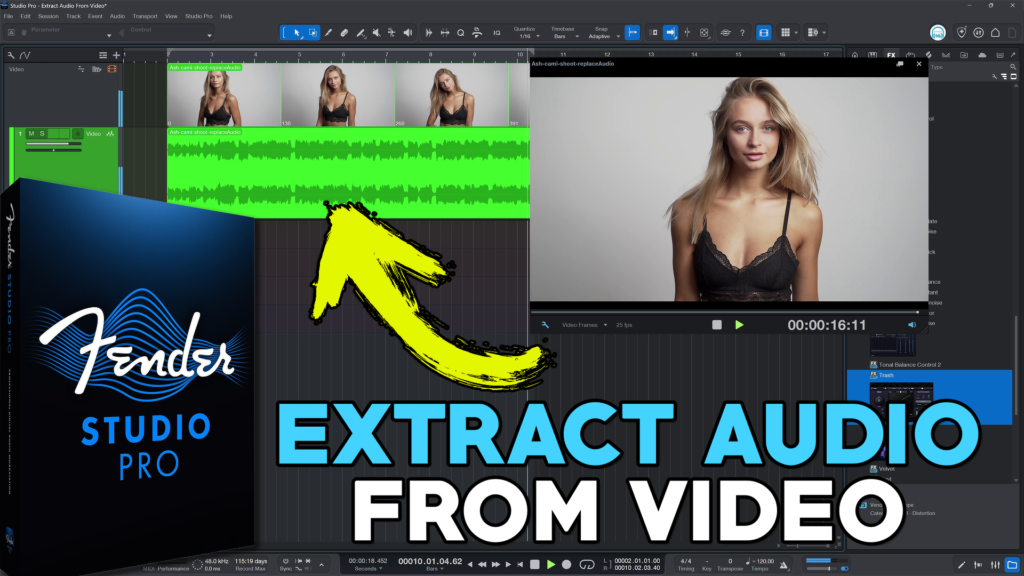
Extracting audio from video is a great way to remix, sample, or repurpose audio, or to edit and mix in Studio Pro and then export the audio to use in a full video editor.
VIDEO
You have a couple ways to access the audio in a video file when using Fender Studio Pro. You could drag in the video, click the Extract Audio button, and then unlink the audio from the video.
Or, you could use the Keyboard shortcut (CTRL) Windows/(CMD) Mac when dragging in the video to directly extract the audio without importing the video. Watch the video above to see this in action.
If you have video files with multiple audio tracks embedded, such as a recording from OBS, then you can use the free version of Davinci Resolve to export those individual audio tracks. The video above will show you how.
➡️ BUY FENDER STUDIO PRO using our Affiliate Links!
About Post Author



More Awesome Stuff
Pro Tools Looks Too Small in 4K – DO THIS!
Hide Your REAL NAME in FL Studio
How To Removed Copyright Music and Keep the Dialogue