
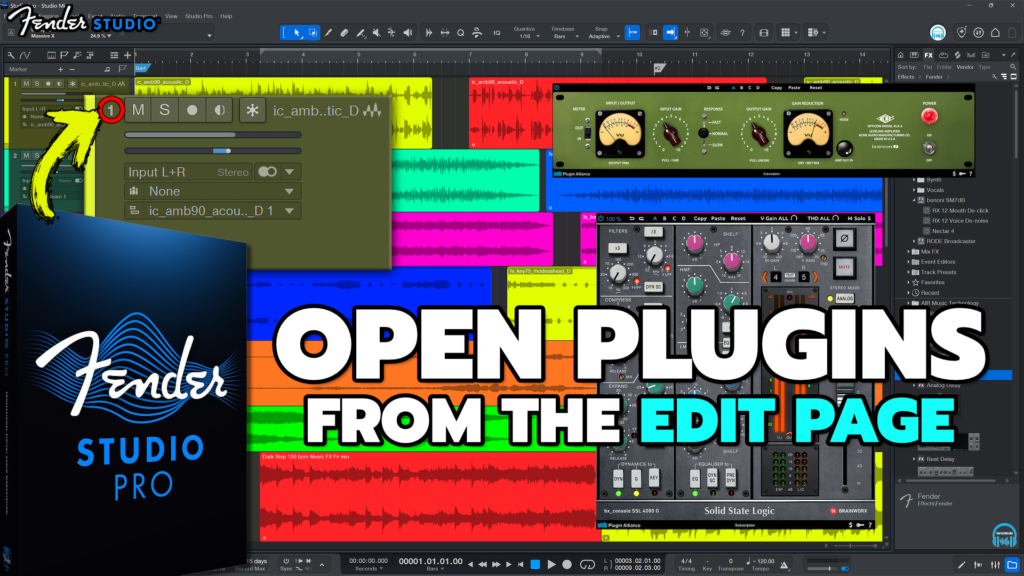
When people switch from a DAW like Pro Tools to Studio Pro, they often miss the ability to open their audio effects (plugins) from the Edit Page (as it’s called in Pro Tools).
Many think they have to open the Mix window or the Inspector in order to open the plugin interface. But you DO NOT 👍
You CAN open your plugins right from the main page. How?
Click the TRACK NUMBER.
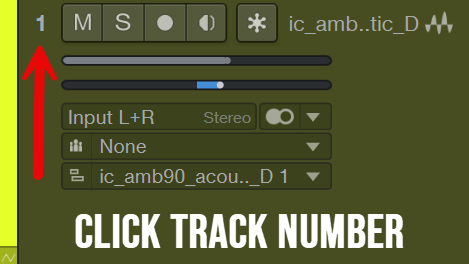
That’s it. Simple.
To open your Virtual Instruments, click the Instrument Icon (keyboard icon) on the Instrument Track.
VIDEO
➡️BUY Fender Studio Pro
About Post Author



More Awesome Stuff
How to Extract Audio from a Video in Fender Studio Pro 8
Pro Tools Looks Too Small in 4K – DO THIS!
Hide Your REAL NAME in FL Studio